Hosting accounts have a restriction on email forwarders: you can only create a forwarder if the destination is an email account on your own server.
If you want to keep receiving your emails in Gmail or Outlook, we recommend using the "Import" or "Sync" feature. Below we explain how it works; it is very easy.
The reason for this restriction is to limit the amount of SPAM sent from our servers. Forwarders forward everything, including the SPAM you receive, and from Gmail's or Hotmail's point of view that SPAM comes from our server.
Importing email into Gmail
- Open the Gmail settings.
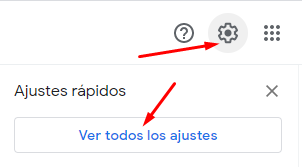
- Select: Check mail from other accounts > Add a mail account.

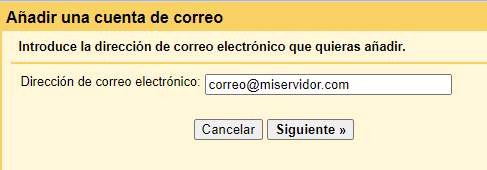
- Enter the email account you want to import.
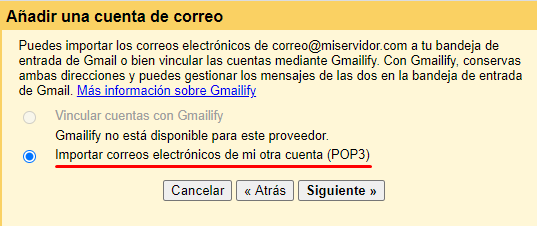
- Select import via POP3.
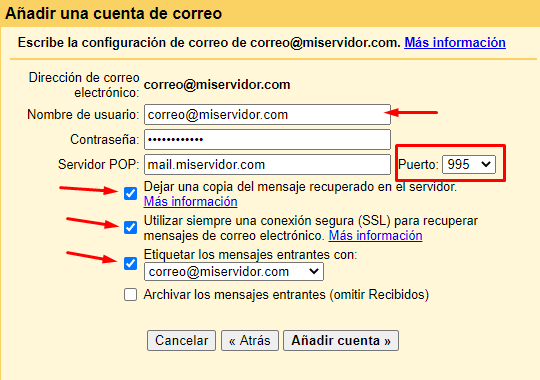
- Finally, enter the connection details:
| Field | Value |
|---|---|
| Server | mail.yourdomain.com |
| Username | Your full email address |
| Password | The one you set when creating the account in cPanel |
| Port | 995 |
We recommend ticking the box to leave a copy of the messages on the server, in case you want to read them from our webmail in the future.
Importing email into Hotmail / Outlook
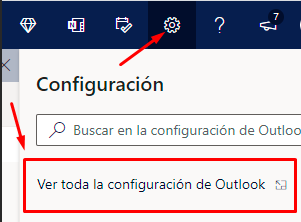
- Open the Hotmail settings.
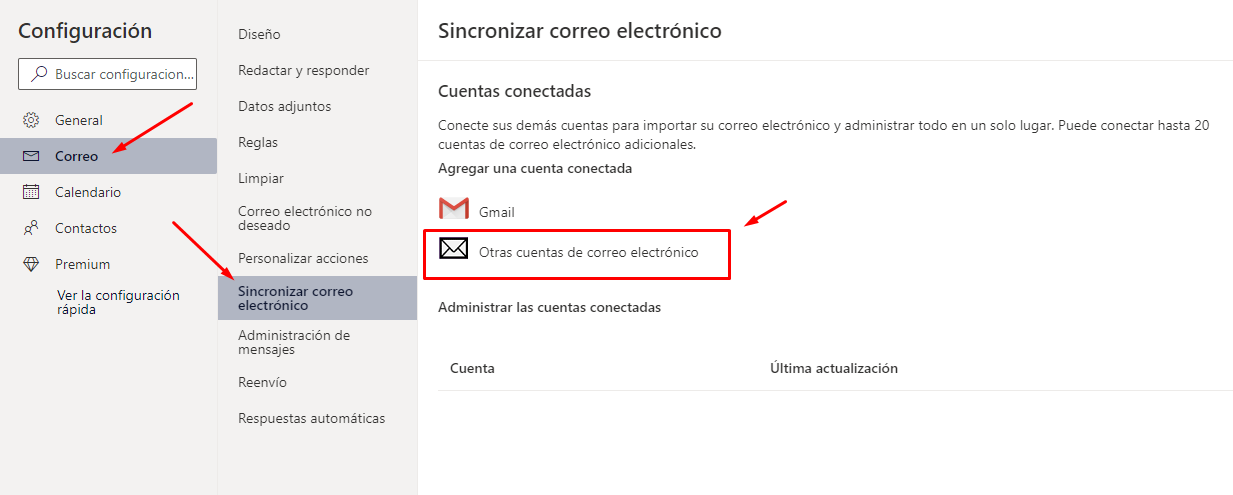
- Select: Mail > Sync email > Other email accounts.
- Enter the email account you want to import and its password. If you do not remember it, you can reset it in cPanel.
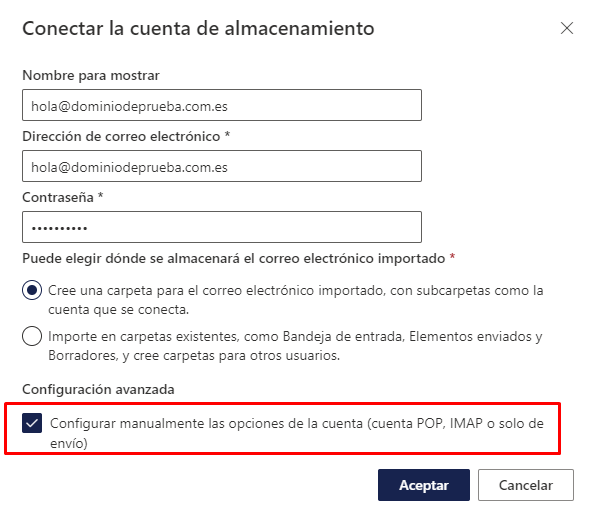
- Select import via POP and enter the details:
| Field | Value |
|---|---|
| Server | mail.yourdomain.com |
| Username | Your full email address |
| Password | The one you set when creating the account in cPanel |
| Incoming POP port | 995 |
| Outgoing SMTP port | 587 |
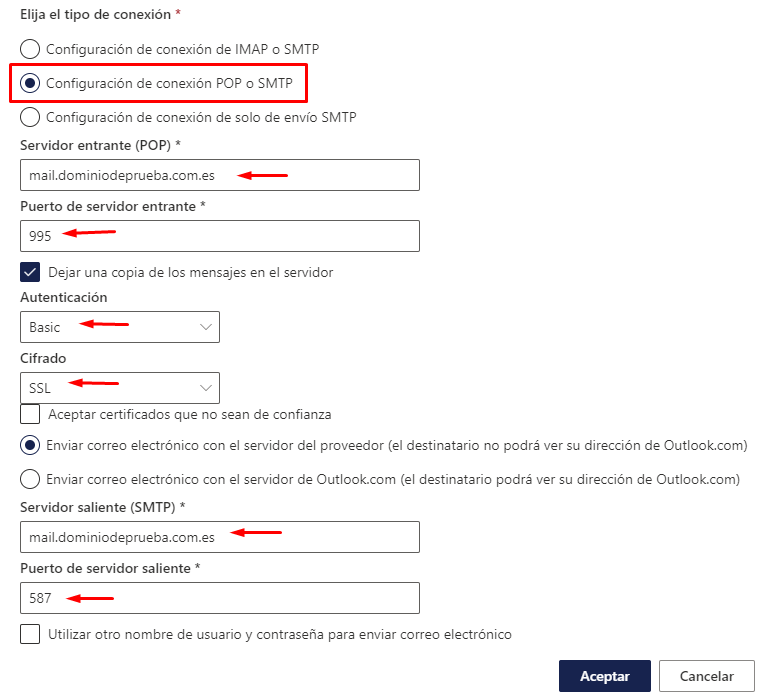
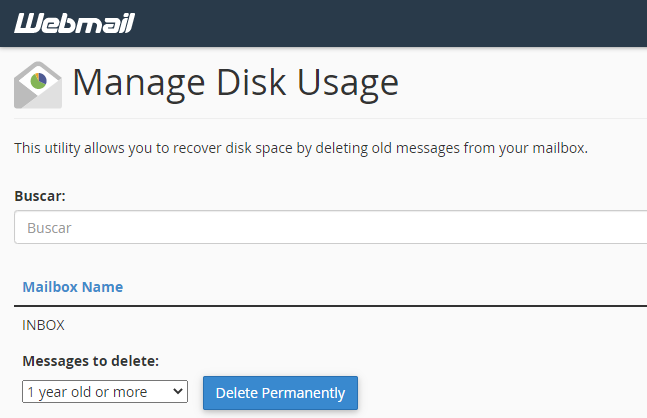
Outlook does not delete emails from the cPanel server. If you do not want to keep a copy in cPanel, you will need to log in periodically and delete them manually, for example removing emails older than 1 year.